Jobs
The Jobs page in the Manage category lets you manage jobs.
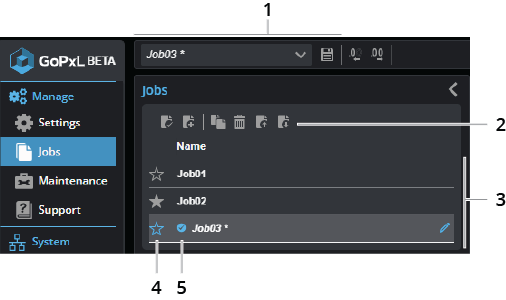
| Element | Description | |
|---|---|---|
|
1 |
Job-related operations on global toolbar |
Job menu and Save button. Use the job menu to create new jobs, save jobs, and load recent jobs.
|
| 2 | Job-related operations | These controls let you work with jobs, for example, creating and saving jobs. For explanations of the job related operations, see Job-related operations. |
| 3 | Job list | The list of available jobs. |
| 4 | Default job indicator | Clicking on the default job indicator ( ) sets the job as the default. ) sets the job as the default. |
| 5 | Loaded job indicator | The loaded job indicator ( ) shows which job is currently loaded. Note that "untitled" is the default name of a new job file. ) shows which job is currently loaded. Note that "untitled" is the default name of a new job file. |
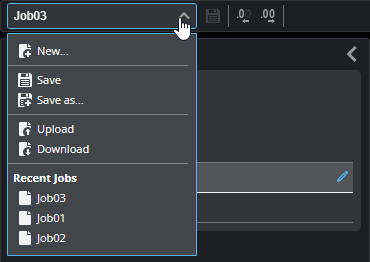
The following table describes the job-related operations.


