Surface Stitch
The Stitch tool lets you combine up to 24 frames of scans into a single Surface scan. This lets you get a much larger scan volume with fewer sensors (either in a single sensor system or a multi-sensor system). For each scan, you can specify not only X, Y, and Z offsets (translations), but also X, Y, and Z angles (rotations), defining its relationship with the others. This means that when the sensor system is mounted to a robot, or if you are using, for example, an X-Y table, you can get a complete scan with fewer sensors. The resulting combined scan can then be used as input by any other Surface or Feature tool from its Surface Input drop-down.
The tool performs rotation first, and then translation.

|
The tool combines data simply by overwriting in sequence: it performs no averaging or blending. The tool also performs no fitting. |
|
|
Results are only as accurate as the motion system. |
|
|
Seams are often seen in combined data in stitching performed in anything other than along the Y axis. |
The tool returns one measurement, which simply indicates the number of scans successfully added to the combined scan data.
The following shows three individual frames.
(The following screenshots are from a G2 sensor.)

In the following, the tool has combined the frames into a single surface.
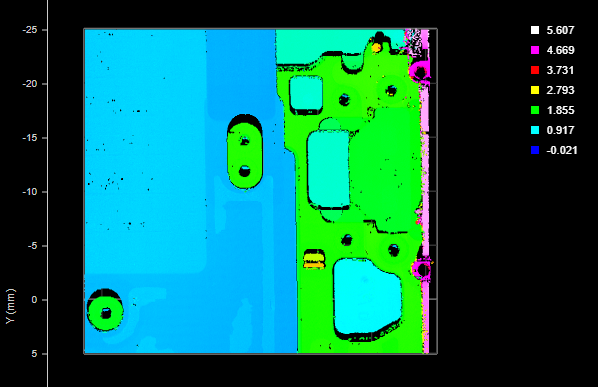
For information on adding, managing, and removing tools, as well as detailed descriptions of settings common to most tools, see Tool Configuration.
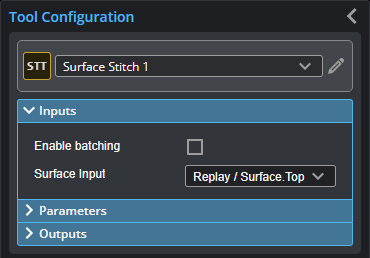
Inputs
| Name | Description |
|---|---|
|
Surface Input |
The data the tool applies measurements to or processes. |
Parameters
The following parameters are in the expandable Parameters section in the tool's configuration.
| Parameter | Description |
|---|---|
|
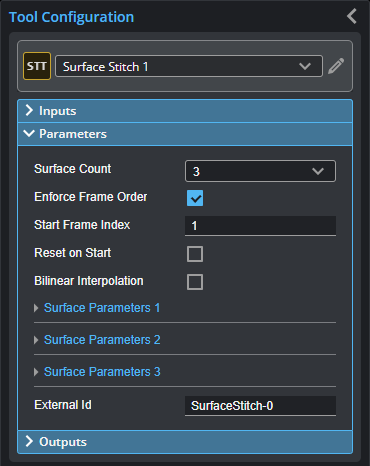
Surface Count |
The number of scans to combine into a single surface. For each, a "Surface Parameters" section is added. The tool accepts setting the number of scans to one: in this case it, behaves like a transform tool. |
|
Enforce Frame Order |
Restricts the stitching for specific frame indexes, starting at the frame indicated in Start Frame Index. If unchecked, an Operation drop-down is displayed. This setting is disabled if you attempt to stitch data from individual scans acquired using the Snapshot button (that is, all frame indexes are at 1). |
| Start Frame Index | The start frame index. |
|
Operation |
If Enforce Frame Order is disabled, the Operation drop-down is displayed. One of the following:
|
|
Reset On Start |
Clears buffers for the stitched surface when the sensor is started. Useful for situations where the sensor is started and stopped frequently (to capture a small number of frames), rather than starting the sensor and letting it run for a long period. Enable this parameter to prevent data from a previous capture session being stitched with data from the current capture session. |
|
Interpolation Mode |
Provides three interpolation modes the tool uses to stitch the input Surface data scans together to produce the uniform output (Stitched Surface). These modes do nothing when the input is point cloud data.
Nearest Neighbor Interpolation Data points are generated in the stitched output by interpolating with the nearest neighbor. In earlier versions of this tool, this is equivalent to Bilinear Interpolation being unchecked.
Bilinear Data points are generated in the stitched output by using bilinear interpolation with the points to the left and right. This mode is best for applications with a non-zero Z rotation and minor X and Y rotation. In earlier versions of this tool, this is equivalent to Bilinear Interpolation being checked.
Gaussian When stitching uniform Surface data where there is a larger X or Y angle, use this option to improve stitching. |
|
Surface Parameters {n} |
For each scan to be added to the combined surface scan, an expandable Surface Parameters section is added. The following settings are available:
|
|
External ID |
The external ID of the tool that appears in GoHMI Designer. For more information, see GoHMI and GoHMI Designer. |
Outputs
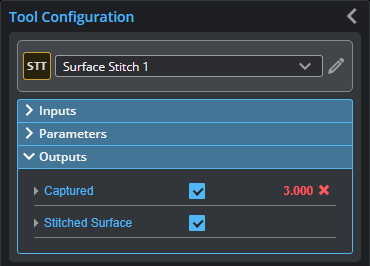
You configure the Min and Max parameters by expanding the measurement in the Outputs section. In order for a measurement to return a Pass decision, the measurement must be between maximum and minimum values; the range is inclusive.
| Measurement |
|---|
|
Captured Indicates the number of scans successfully added to the combined surface scan. |
|
|
Only one of the following data types will contain data, depending on whether Uniform Spacing is enabled. For more information, see Scan Modes and Intensity. |
| Type | Description |
|---|---|
|
Stitched Surface Stitched Raw Surface |
The stitched surface scan. |