Profile Circle
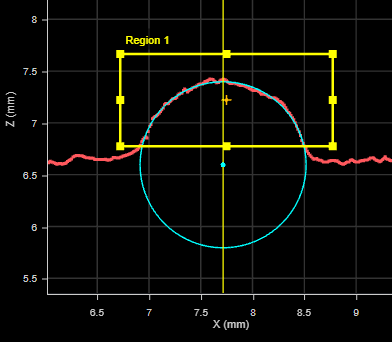
The Circle tool calculates the best-fit circle for a profile and returns measurements of various characteristics of the circle. The tool uses the iterative robust least squares fitting method.
For information on adding, managing, and removing tools, as well as detailed descriptions of settings common to most tools, see Tool Configuration.
Inputs
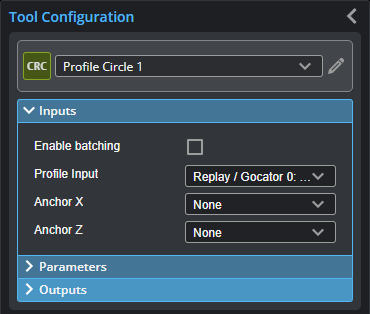
You configure the tool's inputs in the expandable Inputs section.

|
To use a measurement as an anchor, it must be enabled and properly configured in the tool providing the anchor. For more information on anchoring, see Measurement Anchoring. |
| Name | Description |
|---|---|
| Enable Batching |
For more information on arrays, batching, and aggregating, see Arrays, Batching, and Aggregation. |
|
Profile Input |
The data the tool applies measurements to or processes. This tool can optionally take an array as input. For more information, see Arrays, Batching, and Aggregation. |
|
Anchor X or Anchor Z |
The X or Z measurement of another tool that this tool uses as a positional anchor. Positional anchors are optional. |
Parameters
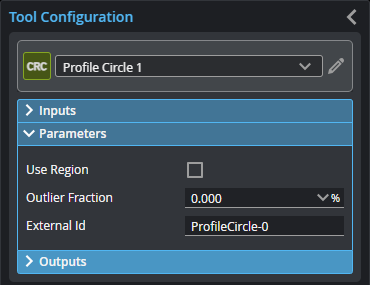
You configure the tool's parameters in the expandable Parameters section.
| Parameter | Description |
|---|---|
|
Use Region |
When enabled, displays Region parameters (see below). When disabled, the tool uses all data. |
|
Region {n} |
The region to which the tool's measurements will apply. For more information, see Regions. |
| Outlier Fraction |
The percentage of the profile points that are considered noise. A range from 0% to 80%. For example, suppose a profile contains m points. If Outlier Fraction is not equal to 0, then Outlier Fraction*m points will be considered noises and be removed iteratively. |
|
External ID |
The external ID of the tool that appears in GoHMI Designer. For more information, see GoHMI and GoHMI Designer. |
Outputs
Most tools provide measurements, geometric features, or data as outputs.
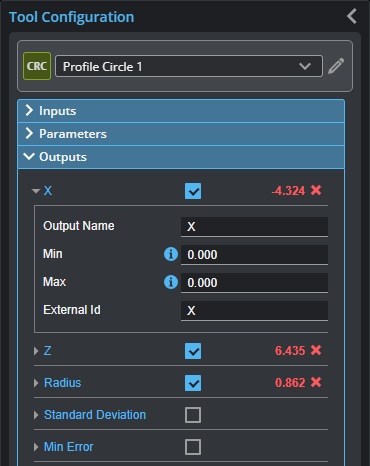
Outputs section with a measurement expanded to show user-configurable decision min/max fields and an external ID
You configure the Min and Max parameters by expanding the measurement in the Outputs section. In order for a measurement to return a Pass decision, the measurement must be between maximum and minimum values; the range is inclusive.
| Measurement | Illustration |
|---|---|
|
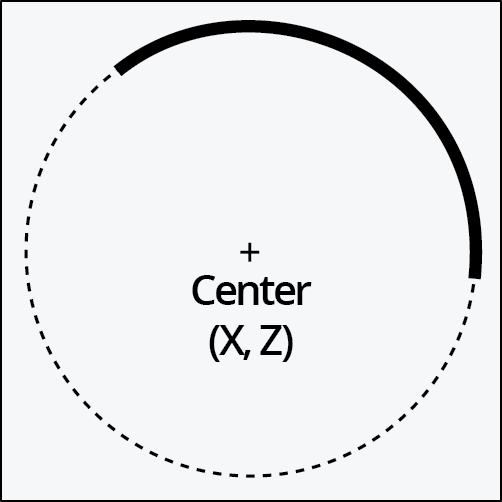
X Finds the circle center position in the X axis. |
|
|
Z Finds the circle center position in the Z axis. |
|
|
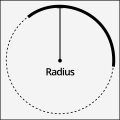
Radius Measures the radius of the circle. |
|
|
Standard Deviation Returns the standard deviation of the data points with respect to the fitted circle. |
|
|
Min Error The minimum and maximum error among the data points with respect to the fitted circle. |
|
|
Min Error X The X and Z position of the minimum error. |
|
|
Max Error X The X and Z position of the maximum error. |
| Type | Description |
|---|---|
|
Point |
The center point of the fitted circle. |
| Circle | The fitted circle. |
|
|
For more information on geometric features, see Geometric Features. |