Surface Countersunk Hole
The Countersunk Hole tool locates a countersunk circular opening within a region of interest on the surface and provides measurements to evaluate characteristics of countersunk holes, including the position (X, Y, and Z) of the center of the hole, outside radius of the hole, hole bevel angle, and the depth of the hole. The countersunk hole can be on a surface at an angle to the sensor. The tool also supports measuring holes drilled at an angle relative to the surrounding surface.

|
The tool does not search for or detect the feature. The tool expects that the feature, conforming reasonably well to the defined parameters, is present and that it is on a sufficiently uniform background. |
For information on adding, managing, and removing tools, as well as detailed descriptions of settings common to most tools, see Tool Configuration.
Inputs
You configure the tool's inputs in the expandable Inputs section.
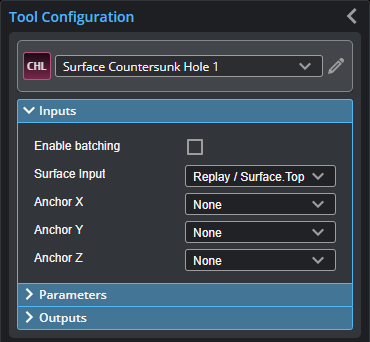
|
|
To use a measurement as an anchor, it must be enabled and properly configured in the tool providing the anchor. For more information on anchoring, see Measurement Anchoring. |
| Name | Description |
|---|---|
| Enable Batching |
For more information on arrays, batching, and aggregating, see Arrays, Batching, and Aggregation. |
|
Surface Input |
The data the tool applies measurements to or processes. |
|
Anchor X Anchor Y Anchor Z |
The X, Y, or Z measurement of another tool that this tool uses as a positional anchor. Positional anchors are optional. |
Parameters
You configure the tool's parameters in the expandable Parameters section.
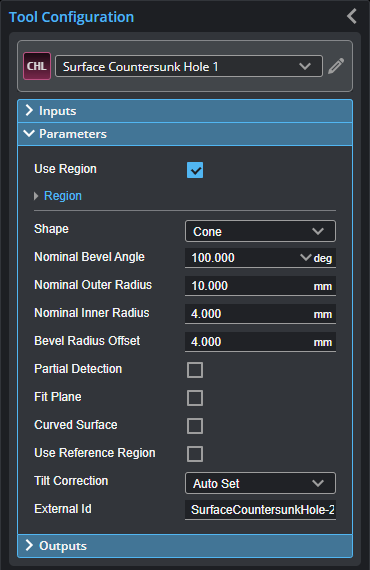
| Parameter | Description |
|---|---|
|
Use Region |
When enabled, displays Region parameters (see below). When disabled, the tool uses all data. |
|
Region |
The region to which the tool's measurements will apply. For more information, see Regions. |
|
Shape |
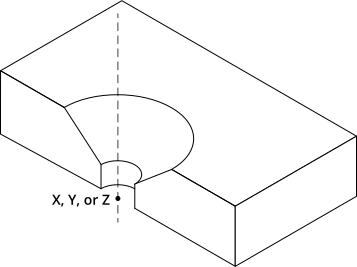
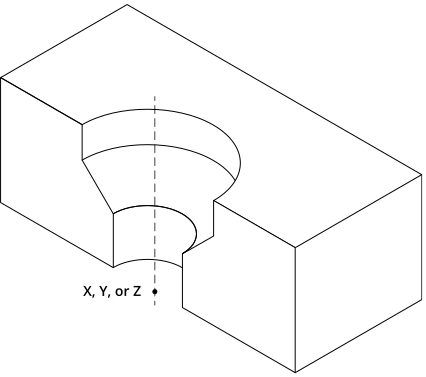
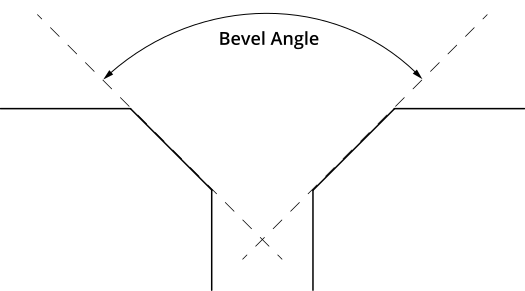
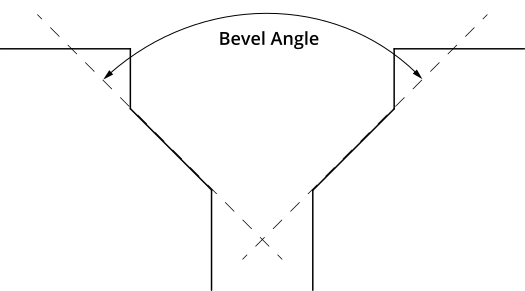
The shape of the countersunk hole. (See illustrations below.) 0 – Cone 1 – Counterbore |
|
Nominal Bevel Angle |
The expected bevel angle of the countersunk hole. |
|
Nominal Outer Radius |
The expected outer radius of the countersunk hole. |
|
Nominal Inner Radius |
The expected inner radius of the countersunk hole. |
|
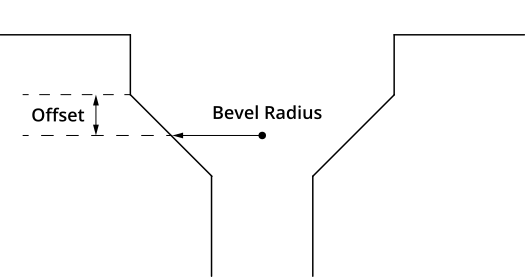
Bevel Radius Offset |
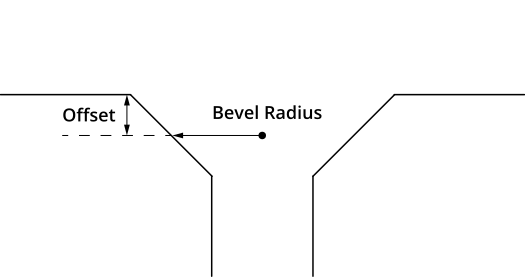
The offset, relative to the surface that the countersunk hole is on, at which the bevel radius will be measured. |
|
Partial Detection |
Enable if only part of the hole is within the measurement region. If disabled, the hole must be completely in the region of interest for results to be valid. |
|
Fit Plane |
When enabled, excludes data beyond the distance from the plane surrounding the hole, using the value you provide in the Plane Fit Range parameter. You can use this setting to exclude surfaces close to the countersunk hole that step down from the plane surrounding the hole that could make measurement of the hole less reliable. |
|
Plane Fit Range |
The distance from the plane surrounding the hole beyond which data is excluded. |
|
Curved Surface |
Whether the surface that the countersunk hole is on is curved. |
|
Curve Orientation |
The orientation of the curvature in degrees. Only visible when Curved Surface is enabled. |
|
Use Reference Region |
When enabled, displays settings you use to configure reference regions. |
|
Reference Type |
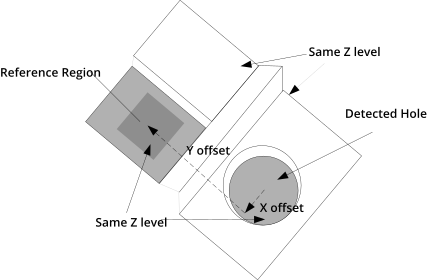
The tool uses the reference regions to calculate the Z position of the hole. It is typically used in cases where the surface around the hole is not flat.
When this option is set to Autoset, the algorithm automatically determines the reference region. You can also set this option to one or two regions, which you manually set. Note that the location of manual reference regions is relative to the detected center of the hole and positioned on the nominal surface plane. When Reference Region is disabled, the tool measures the hole's Z position using all the data in the measurement region, except for a bounding rectangular region around the hole. |
|
Tilt Correction |
Tilt of the target with respect to the alignment plane. Autoset: The tool automatically detects the tilt. The measurement region to cover more areas on the surface plane than other planes. Custom: You must enter the X and Y angles manually in the X Angle and Y Angle parameters (see below). |
|
X Angle Y Angle |
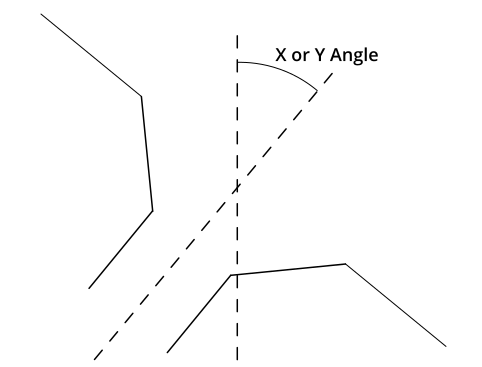
The X and Y angles you must specify when Tilt Correction is set to Custom. You can use the Surface Plane tool's X Angle and Y Angle measurements to get the angle of the surrounding surface, and then copy those measurement's values to the X Angle and Y Angle parameters of this tool. |
|
External ID |
The external ID of the tool that appears in GoHMI Designer. For more information, see GoHMI and GoHMI Designer. |
Outputs
Most tools provide measurements, geometric features, or data as outputs.
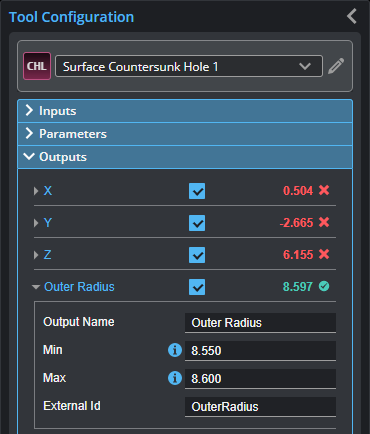
Outputs section with a measurement expanded to show user-configurable decision min/max fields and an external ID
You configure the Min and Max parameters by expanding the measurement in the Outputs section. In order for a measurement to return a Pass decision, the measurement must be between maximum and minimum values; the range is inclusive.
| Measurement | Illustration | ||
|---|---|---|---|
|
X Determines the X position of the center of the countersunk hole. |
|
||
|
Y Determines the Y position of the center of the countersunk hole. |
|||
|
Z Determines the Z position of the center of the countersunk hole. |
|||
|
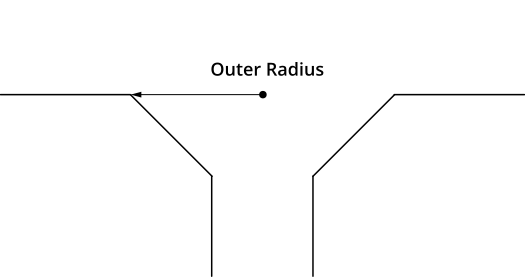
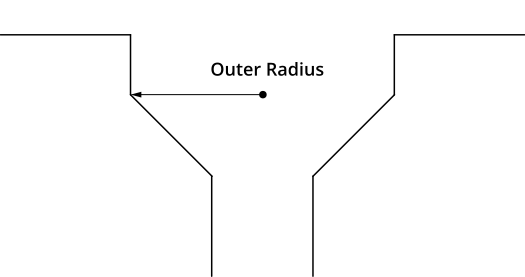
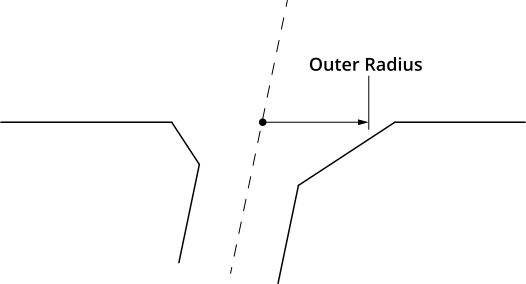
Outer Radius Determines the outer radius of the countersunk hole. When a hole is cut at an angle relative to the surrounding surface, the outer radius is calculated as if the hole were not cut at an angle.
|
|
||
|
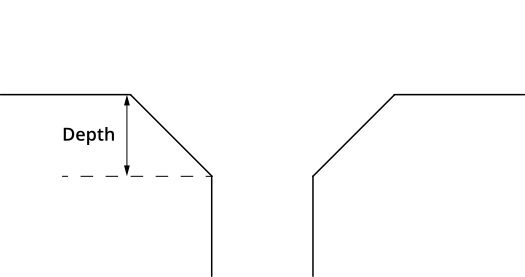
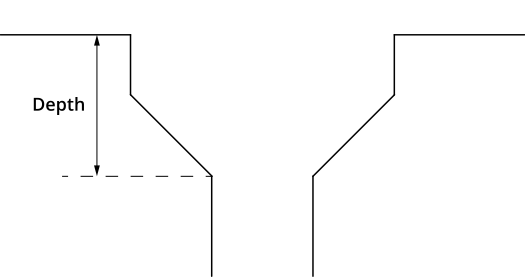
Depth Determines the depth of the countersunk hole relative to the surface that the countersunk hole is on. |
|
||
|
Bevel Radius Determines the radius at a user-defined offset (Bevel Radius Offset setting) relative to the surface that the countersunk hole is on.
|
|
||
|
Bevel Angle Determines the angle of the hole's bevel. |
Cone
Counterbore |
||
|
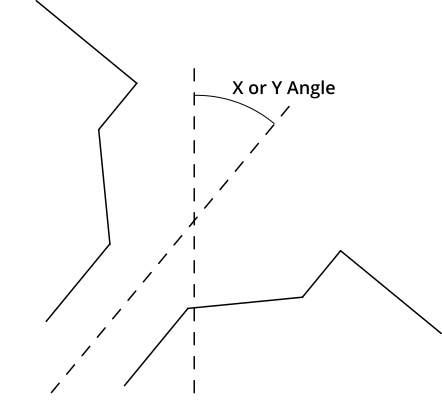
X Angle Determines the angle the hole relative to the X axis. |
Cone
Counterbore |
||
|
Y Angle Determines the angle of the hole relative to the Y axis. |
|||
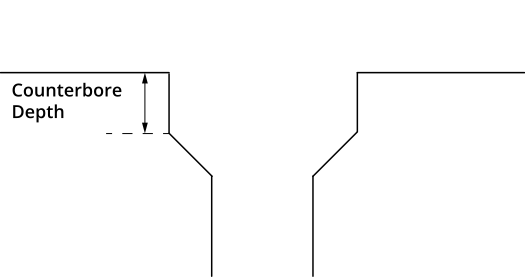
| Counterbore Depth
Determines the depth of a counterbore. |
|
||
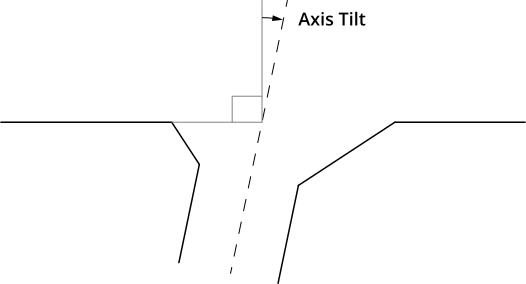
| Axis Tilt
Measures the tilt of the axis of the hole relative to the surface surrounding the hole.
|
|
||
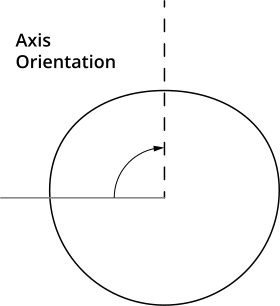
| Axis Orientation
Measures the angle of the axis of the hole around the normal of the surface surrounding the hole, relative to the X axis.
|
|
| Type | Description |
|---|---|
| Center Point |
The center point of the countersunk hole. The Z position of the center point is at the Z position of the surrounding surface. |
|
|
For more information on geometric features, see Geometric Features. |